Recruiting & Offers
Recruiting that carries on into onboarding and growth
Take a hire from request to signed offer in one place, then hand the new person to onboarding, goals and reviews without re-entering a thing.
- Hire requests
- Careers page
- Interviews & scorecards
- E-signed offers
Harmny Recruiting covers hire requests, a public careers page, a candidate pipeline, interviews and scorecards, candidate emails and offers with e-signature. An accepted offer converts into an employee invitation, so the person who was a candidate becomes a colleague in the same system that runs onboarding, goals and reviews. It does not post to job boards.

How it works
Five steps from a hire request to a new colleague
- Step 1
Request the hire
A manager files a hire request. HR approves it, and approving opens the job.
- Step 2
Publish and collect applicants
The job appears on your careers page. Applicants send a CV and answer your screening questions.
- Step 3
Move people through the steps
Candidates move across a board or list. Interviews, scorecards and emails hang off each step.
- Step 4
Send and sign the offer
The offer goes through approval, then to the candidate as a secure link to review and sign.
- Step 5
Invite them in
An accepted offer converts into an employee invitation. Onboarding and reviews take it from there.
Hire requests and jobs
Start from an approved need, not a loose posting.
Managers ask for a hire, HR approves or declines, and approval opens the job with the headcount attached. Each job has a recruiter, a hiring team of hiring managers and interviewers, and the usual facts: location, workplace type and employment type. A job can be paused, closed or duplicated, and a duplicate starts paused so nothing goes live by accident.
- One approval step before a job opens
- Per-job hiring team with hiring manager and interviewer roles
- Pause, close or duplicate a job
Careers page and applications
A public page for open roles, and a form that asks the right things.
Open jobs are listed on a careers page you can also embed on your own website. Applicants upload a CV (PDF or Word) and answer screening questions you set per job. A question can simply flag an answer for a human to read, or automatically reject the application, whichever you choose for that job. Careers pages and candidate emails can run in the languages your company chooses, and every candidate email carries a link to request deletion of their data.
- Embeddable list of open roles
- Screening questions with flag or auto-reject
- Track where each candidate came from, such as a job board, a referral or your own page
Pipeline
See every candidate, step by step.
Each job has a pipeline you can view as a board or a list. Define your own hiring steps inside Screen and Interview, attach an interview kit with suggested questions and what a good answer sounds like, and act on several candidates at once. Tags and a talent pool help you find people again later, and employees can refer someone to an open job. A rejected application can be reopened if you change your mind.
- Board and list views of the same pipeline
- Custom steps with interview kits
- Tags, talent pool and employee referrals
Interviews and scorecards
Interviews that leave a record.
Schedule an interview and the candidate gets an email with a calendar file. If Google Calendar is connected, the invite goes through it. You can also send a booking link so the candidate picks a slot themselves. Interviewers fill in a scorecard with a recommendation from strong yes to strong no, and they get reminders when feedback is due. Scorecards can be tied to a role on your career ladder, so candidates are judged against the same expectations you use for people already on the team.
- Scheduling by you or by the candidate through a booking link
- Scorecards with a recommendation and reminders
- Optional link to a career ladder level
Candidate communication
Say something to every applicant.
Harmny has editable email templates for application received, interview invitation and not moving forward. The rejection email never includes your internal reason. A few simple automation rules cover the common slips: remind the recruiter when someone has waited too long, email a candidate when they move to a chosen step, or close applications that have gone stale. They are a fixed set of rules you switch on, not a rule builder.
- Editable templates and saved replies
- Three automation rules, off until you enable them
- Candidate data retention you control
Offers and e-signature
Approve, send and sign without chasing PDFs.
Offers move from draft to pending approval to approved to sent, and end as accepted, declined, expired or withdrawn. The candidate receives a single-use link that expires, reads the offer, types their full name and confirms consent to sign. You can attach the offer letter and download a signed-copy PDF. Admins and HR are notified when someone accepts.
- Approval before anything reaches a candidate
- Single-use, expiring signing link and typed e-signature
- Signed-copy PDF for the file
After the hire
From hire to first review
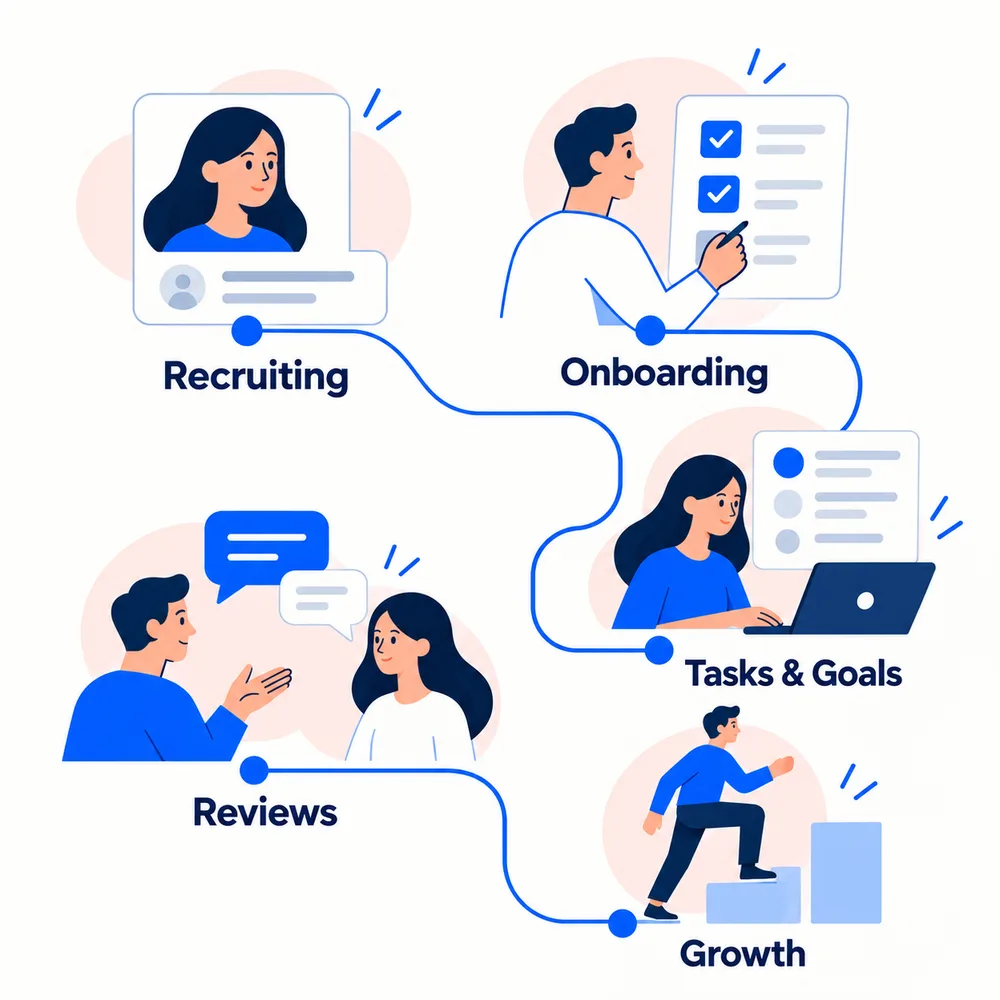
Most hiring tools stop at the signature. In Harmny the person stays in the same system. When an accepted offer is converted, the candidate receives an invitation to join as an employee. Then you assign an onboarding checklist with owners and due dates, so the first weeks are planned. Later, they take part in performance reviews against the same career ladder you may have used when interviewing.
The interview scorecards are kept as hiring records. They are not copied into a new employee’s ratings.
What Recruiting does not do
We would rather you know before you start. Harmny does not post to job boards, and it does not rank candidates or reject anyone automatically with AI. On the Growth plan a recruiter can ask AI to read one CV against the job and get a match summary, but that is a suggestion and a person decides. Automation rules are a fixed set, not a workflow builder. If your hiring depends on those, pair Harmny with a tool that does them, or ask us about your case on the contact page.
Why growing teams use Harmny for hiring
One approval path
Hire requests and offers are both approved before they go further.
Hiring team per job
Hiring managers and interviewers see only the jobs they work on.
Reports in plain questions
See whether you get enough candidates, where they get stuck, where good ones come from and why they were rejected.
Self-scheduling
Send a booking link instead of trading emails about times.
Candidate data control
Set how long candidate data is kept; candidates can ask for deletion from any email.
Offer to employee
Convert an accepted offer into an employee invitation in a click.
Recruiting: common questions
Direct answers about what Harmny Recruiting does today.
Recruiting is included in every plan. See per-user prices on the pricing page, or talk to us about your hiring process.
Explore more features
Core HR
Evaluations & Cycles
Run review cycles with self, manager and peer reviews.
Learn moreCore HR
Career Frameworks
Career ladders that show what good looks like at each level.
Learn moreCore HR
Goals & OKRs
Set company, team and personal goals with key results.
Learn moreCore HR
Meetings & 1:1s
Plan 1:1s and team meetings with shared agendas and notes.
Learn moreCore HR
Feedback
Ask for and give feedback outside of review cycles.
Learn moreCore HR
Development Plans
Personalized growth paths with trackable milestones.
Learn moreClarity. Motivation. Growth. For your whole team.
Full access for your first 14 days, then free for up to 10 users. No credit card required.
By signing up you agree to our Terms of Service and Privacy Policy.