AI agents
Let your AI assistant work in your tasks
Connect an assistant such as Claude to Harmny Tasks. Ask it what is still open, what is late or who owns what, and it answers from your real projects. Turn task changes on, and it can create, update, assign and comment on internal tasks for you.
The rules an agent works under are in the AI agent rules.
Last updated
What it can do
Reads tasks and projects. With an admin's approval, also frameworks, career paths, people summaries, org metrics and recruiting reads (open jobs, pipeline counts and saved candidate summaries). If you opt in, it creates, updates, assigns and comments on internal tasks.
Task changes are off until an admin of your workspace turns them on in Settings. These are the tools an assistant sees, by when they are listed:
Every workspace
-
get_frameworksAdmin approval List all career frameworks for this organization. -
get_competenciesAdmin approval List competencies, optionally filtered by frameworkId. -
get_career_pathAdmin approval Get career levels and skill descriptions for a framework. -
get_employee_summaryAdmin approval Get career summary for an employee including ratings, goals, and framework level. -
get_org_overviewAdmin approval Get high-level org metrics including headcount, department breakdown, and performance indicators. -
get_tasksList tasks in the org. -
get_projectsList spaces and their active projects in the org.
When an admin approves recruiting
-
list_open_jobsAdmin approval List open job openings with id, title, department, location, created date and application count. -
get_pipeline_countsAdmin approval Get the number of applications at each stage, and at each named step, for one job opening. -
get_candidate_summaryAdmin approval Get the saved summary of one application: candidate name, job title, stage and the saved strengths, concerns and open questions.
When task changes are on
-
get_taskGet one task by id: title, status, priority, dates, list, project and assignees. -
search_tasksSearch tasks by title (case-insensitive, newest first).
When task changes are on and approved
-
create_taskCreate a task in a list. -
update_taskChange fields of a task. -
assign_taskAdd a person to a task as an assignee. -
comment_on_taskAdd a comment to a task.
Scopes and limits for each tool are on the MCP server page.
You stay in control
An agent reads what the person who approved it can read. A connection approved by an admin can read tasks across the workspace, including private spaces and client-visible work. It can never change them.
If you want a narrower view, approve the connection from an account with narrower access.
An agent can never delete anything. It can never change client-visible tasks, client-portal work or a private project or space, for any role, admins included. An automation you set up can still change tasks the agent itself cannot.
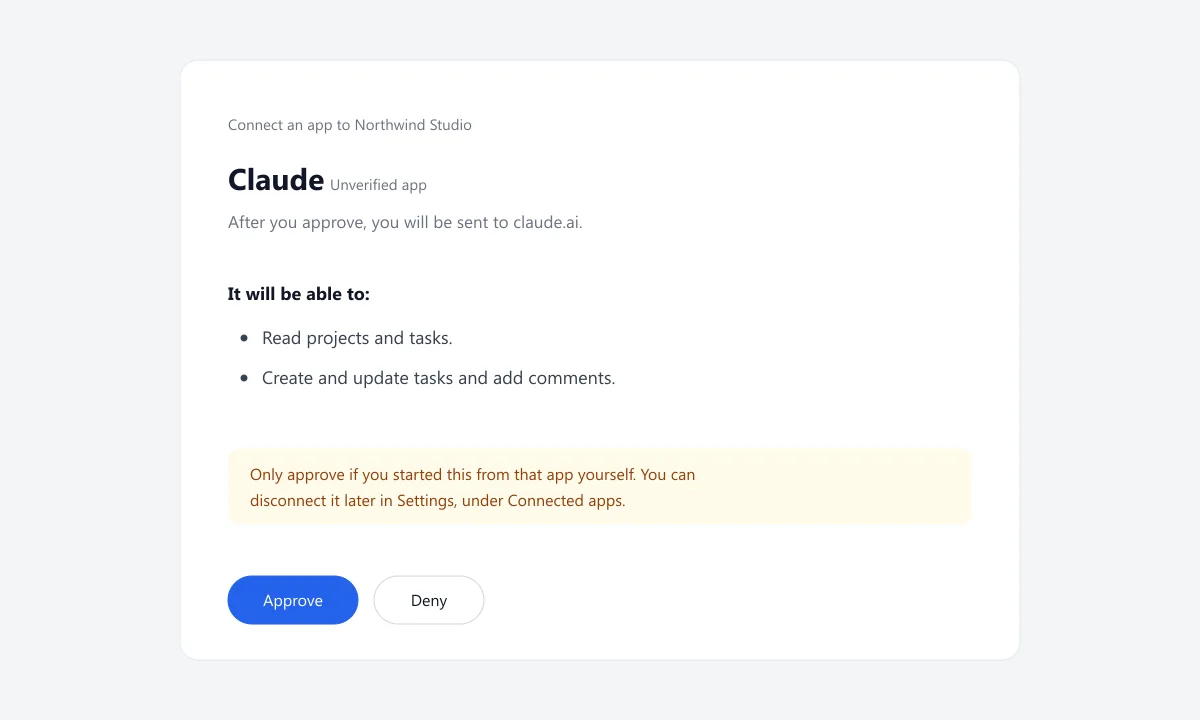
Before an app connects, the person approving it sees a consent page in Harmny with the app's name, the site it will send them back to, what it will be able to do and the workspace. They choose Approve or Deny.
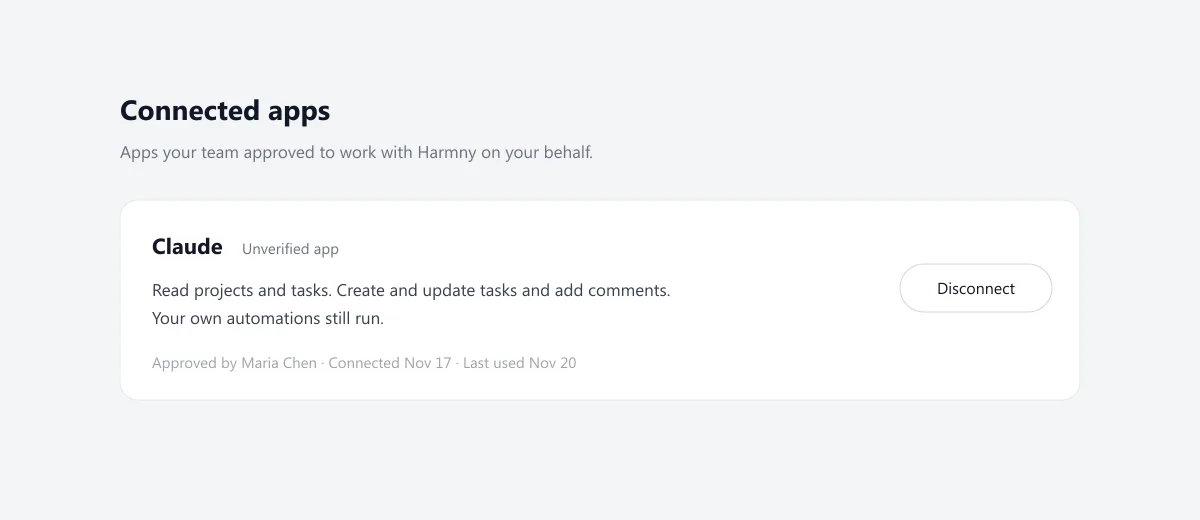
To turn an app off, an admin, or someone with the Manage Integrations permission, opens Settings, Connected apps, and chooses Disconnect. The agent's next call is refused.
Every change is signed
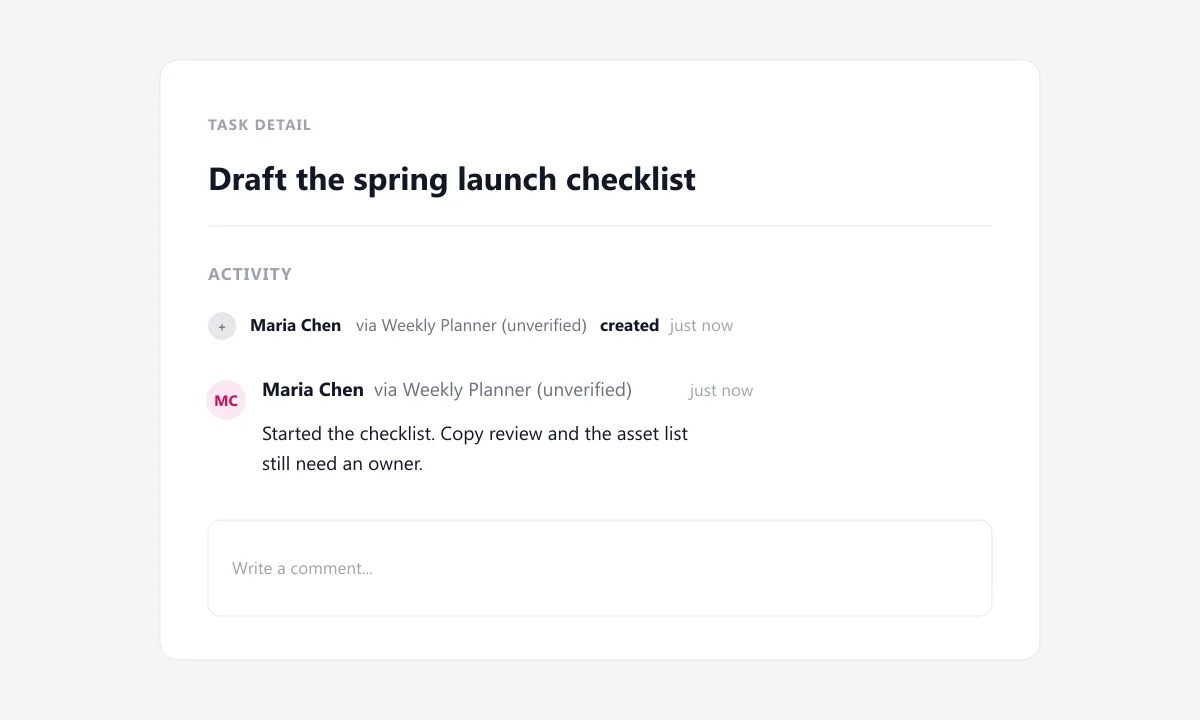
Comments and activity an agent writes show the name of the person who approved it, then “via” and the name the app registered with, or the name of the API key. For example: Maria Chen via Weekly Planner.
Every tool call an agent makes also goes into your workspace audit log, which admins can see. Repeated successful reads are grouped by the hour.
Your automations still run
Your automations still run when an agent changes a task. Two actions are skipped for agent changes: emails to outside addresses and webhooks. Team members still get their emails, and skipped webhooks are noted on the automation run. An automation you set up can still change tasks the agent itself cannot.
How to start
Connect, approve, ask.
Add Harmny to your assistant, approve it on the Harmny consent page, then ask about your work. The steps are on connect Claude to Harmny.
Questions
Can it delete anything?
No. An agent can create, update, assign and comment on internal tasks once an admin of your workspace turns task changes on. There is no way for it to delete a task, a comment or anything else.
Can it change client work?
No. An agent can never change client-visible tasks, client-portal work or anything under them, and it can never change a private project or space. This holds for every role, admins included.
What can it read?
An agent reads what the person who approved it can read. A connection approved by an admin can read tasks across the workspace, including private spaces and client-visible work. It can never change them. If you want a narrower view, approve the connection from an account with narrower access. Read all the rules for AI agents.
Who can connect an app?
Admins, and people an admin has given the Manage Integrations permission in an access group. Only admins can create API keys. Someone who is not an admin can give an agent projects and tasks only.
How do I turn it off?
For a sign-in connection, an admin, or someone with the Manage Integrations permission, opens Settings, Connected apps, and chooses Disconnect. API keys are created and revoked by admins in Settings, Intelligence, MCP API Keys, on the plans that include it. Either way, the next call the agent makes is refused.
What does “via” mean?
It marks a change an agent made. The row shows the person who approved the connection, then “via” and the name the app registered with, or the name of the API key. That name is not proof of who made the app, so an app name is marked as unverified.
Are there limits?
Yes. Each connection or key has a limit on requests, and a separate limit on task changes. The numbers are on the MCP server page. See the limits.
Which plans include it?
It depends on how you connect: with sign-in or with an API key. The plans for each are on the connect Claude page. See which plans include each.
Which assistants can connect?
Other MCP clients can connect with an API key. Sign-in only returns to a short list of approved sites or to an app on your own computer, and we have tested it with Claude. We tested a Claude custom connector that signs in, and Claude Code with an API key.
Is our data used to train models?
Harmny does not train models on your data. What your assistant does with what it reads follows your own account settings with that provider.
Want your assistant to change tasks?
An admin opens Settings, then Intelligence, and switches on "Let agents create and change tasks".
Clarity. Motivation. Growth. For your whole team.
Full access for your first 14 days, then free for up to 10 users. No credit card required.
By signing up you agree to our Terms of Service and Privacy Policy.